Microsoft Deployment Toolkit 2012 and DaRT
2012-06-09 Leave a comment
One of the coolest new features in MDT 2012 is the ability to integrate Diagnostics and Recovery Toolkit (DaRT) 7 into the Lite Touch boot images generated on your MDT Deployment share. If you haven’t seen DaRT, it is part of the The Microsoft Desktop Optimization Pack (MDOP), a suite of technologies available as a subscription for Software Assurance customers. http://www.microsoft.com/en-us/windows/enterprise/products-and-technologies/mdop/default.aspx.
With DaRT integration in MDT, two very cool things become available;
DaRT Tools
When you boot into the MDT boot disk, you have an option to run the Deployment Wizard and install an operating system, and you also have the option to open the DaRT tools.
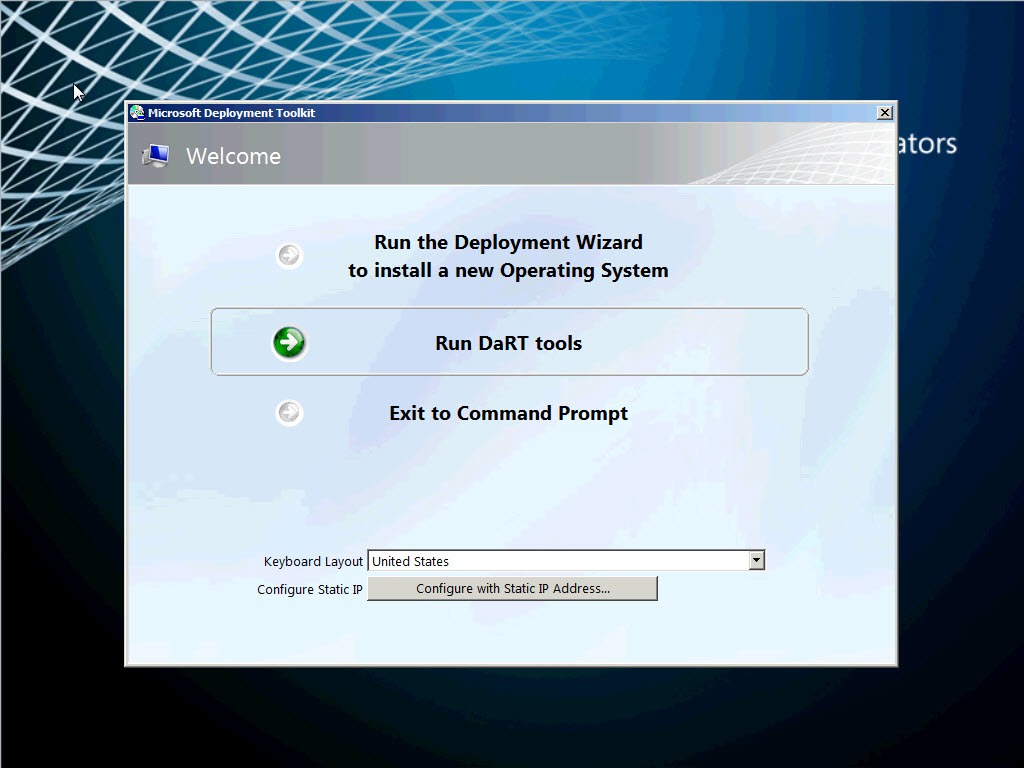
If you select “Run DaRT tools”, you will have the option to perform a variety of tasks, ideal for troubleshooting a failed system.
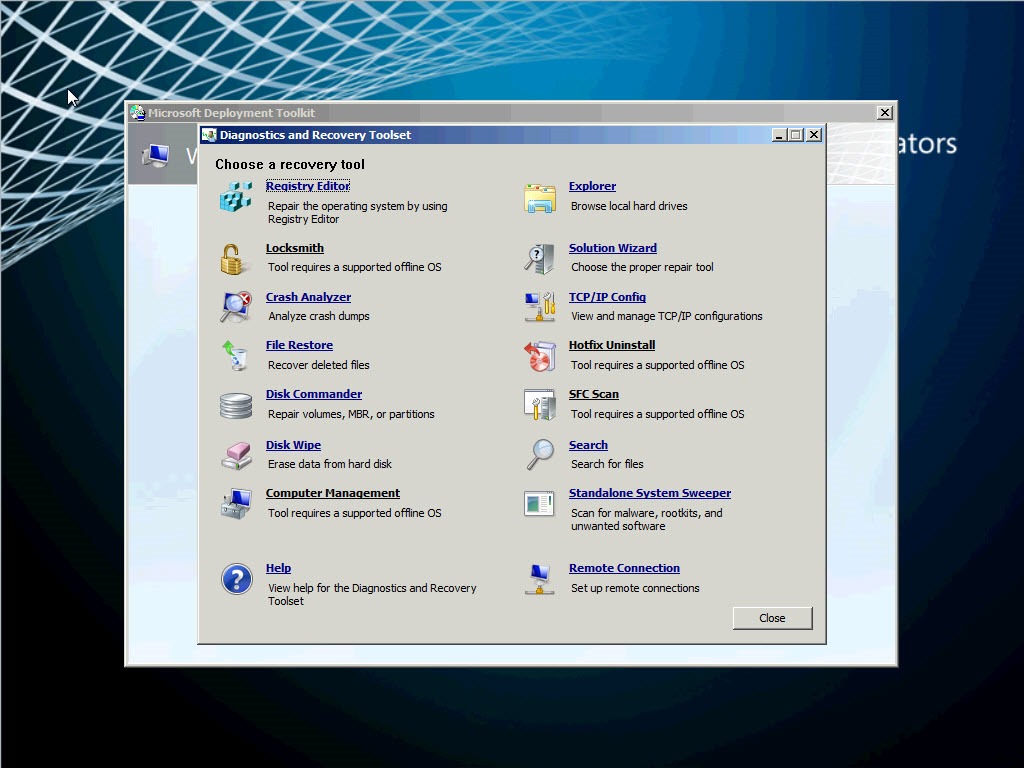
These DaRT tools are part of the Diagnostics and Recovery toolset included in MDOP, and we have been able to create this DaRT recovery environment before, MDT 2012 just allows us to integrate the tools directly into the Windows PE boot images.
Remote Viewer
The second very useful capability that DaRT integration becomes available as soon as the MDT Welcome Wizard completes. Minimized at the bottom left corner of the Windows PE screen is the DaRT Remote Control app.
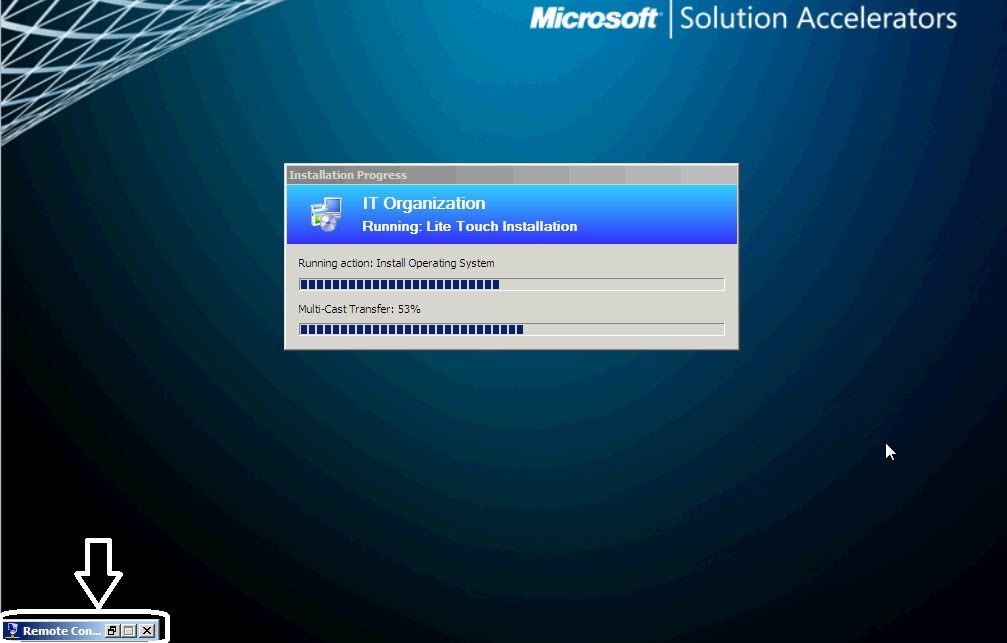
If you restore the Remote Control app, Remote Control Viewer window appears, The window provides you with your IP address, information about any current remote viewing sessions, and a ticket number which can be used to connect to the session (although if you have enabled monitoring in MDT 2012 the process is automated from the Deployment Workbench).
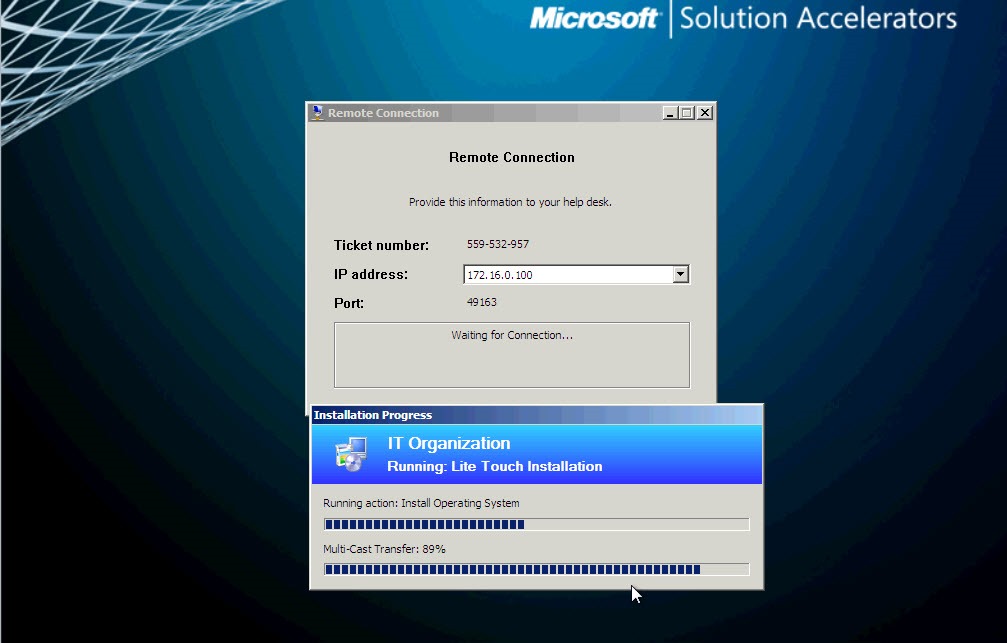
From the Deployment Workbench, if you have enabled monitoring the process of establishing a Remote Viewing session is simple. Simply select the remote session from the Monitoring node of the console, and in the properties of the session select the “DaRT Remote Control” button. 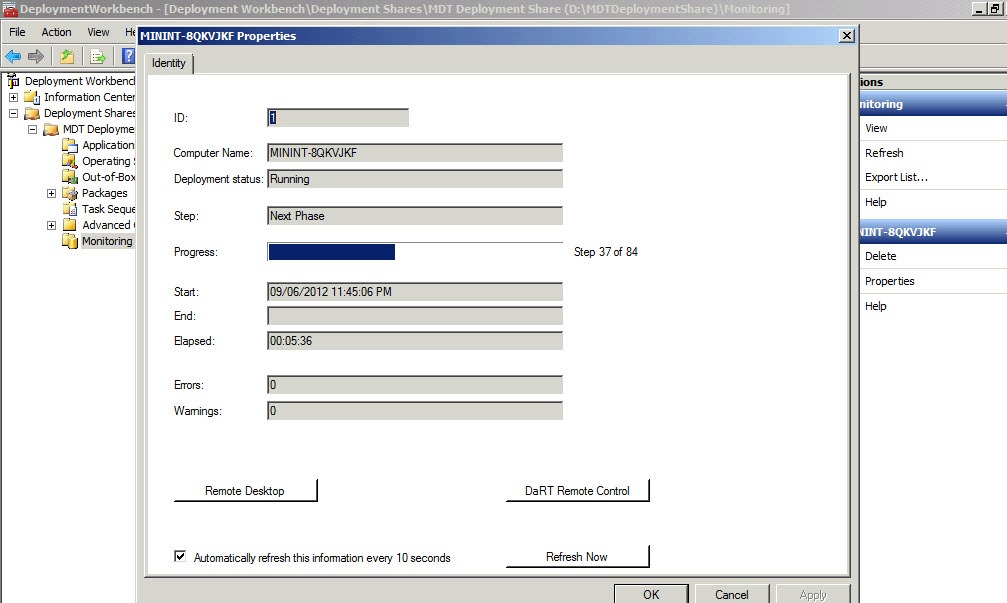
The connection is established to the running WinPE session. From here you can.observe the installation progress, or if necessary troubleshoot.
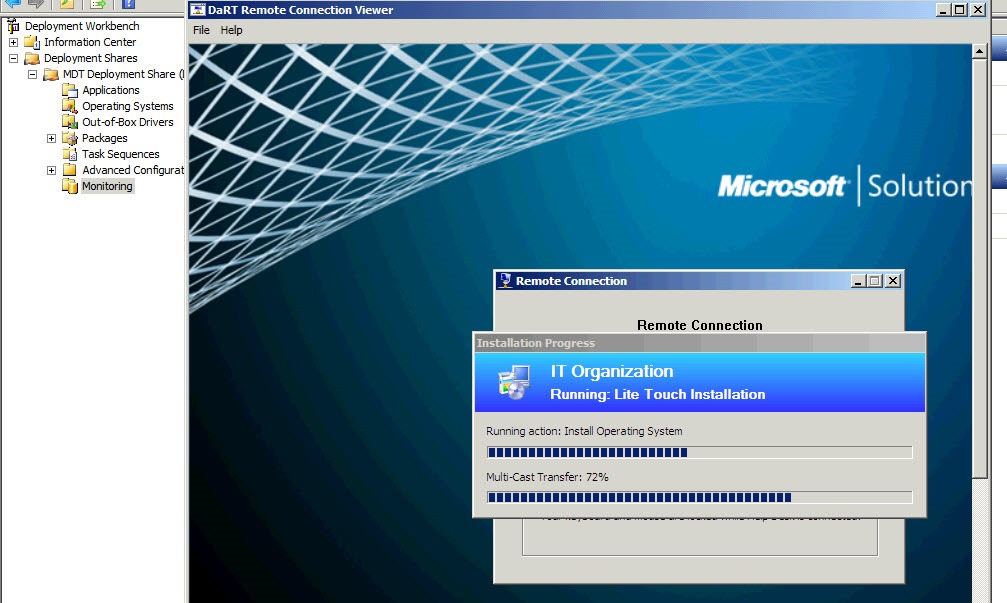
That’s it for now, in my next post I’ll describe what is involved in configuring MDT to provide this functionality, as well as discussing options for DaRT integration in Configuration Manager 2012.
 About Douglas Griffin
 Yet Another System Center Blog